Difference between revisions of "CometWiki"
From CometWiki
m (→Examples) |
m |
||
| (48 intermediate revisions by one user not shown) | |||
| Line 3: | Line 3: | ||
[http://www.dayel.com/comet/supmat/movies/FigS3_Fig1vtkx1.mov http://www.dayel.com/comet/supmat/movies/thumbnails/FigS3_Fig1vtkx1.mov.png] | [http://www.dayel.com/comet/supmat/movies/FigS3_Fig1vtkx1.mov http://www.dayel.com/comet/supmat/movies/thumbnails/FigS3_Fig1vtkx1.mov.png] | ||
[http://www.dayel.com/comet/supmat/movies/FigS7b_Symmetric_Capsule.mov http://www.dayel.com/comet/supmat/movies/thumbnails/FigS7b_Symmetric_Capsule.mov.png] | [http://www.dayel.com/comet/supmat/movies/FigS7b_Symmetric_Capsule.mov http://www.dayel.com/comet/supmat/movies/thumbnails/FigS7b_Symmetric_Capsule.mov.png] | ||
| − | |||
| − | |||
{|cellpadding="10" | {|cellpadding="10" | ||
|width="700" valign="top"| | |width="700" valign="top"| | ||
| − | This | + | This wiki describes how to set up and use the `comet' program. |
| + | You can read [http://www.dayel.com/research/comet/ an introduction to the comet project here](to return here, click on 'cometwiki' rather than using the browser back button). | ||
| − | [ | + | |valign="top"| |
| + | |} | ||
| + | {|cellpadding="10" | ||
| + | |width=300px valign="top"| | ||
| + | ==Essential Information== | ||
| + | ===How the Program Works=== | ||
| + | *[[Description of the Model]] | ||
| + | *[[Program Flow|Overview of Program Flow]] | ||
| + | ===Video Tutorials=== | ||
| + | *[http://www.dayel.com/research/comet/comet-tutorial-1/ How to run the comet program on OS X] | ||
| + | *[http://www.dayel.com/research/comet/comet-tutorial-2/ How to make 3D isosurfaces]. | ||
| + | |||
| + | ===Installing the Program=== | ||
| + | |||
| + | <code>comet</code> runs on any unix-like operating system, including OS X, Linux or Windows (under cygwin). | ||
| + | *[[Installing|Instructions for downloading and installing comet]] | ||
| + | |||
| + | ===Running the Program=== | ||
| + | |||
| + | The program is called from the command line. The command line parameters tell the program what to do (calculate a new run, re-process existing data, interactive 3D view etc.). A <code>cometparams.ini</code> file in the working directory tells the program detailed information about the model parameters to use for calculation and display. | ||
| + | |||
| + | *[[Running the program|Command line parameters for the <code>comet</code> program]] | ||
| + | *[[cometparams.ini parameter file|Model settings in the <code>cometparams.ini</code> file]] | ||
| + | *[[Display settings|Display settings in the <code>cometparams.ini</code> file]] | ||
| + | *[[Running comet on a cluster|Running <code>comet</code> on a cluster]] | ||
| + | | valign="top"| | ||
==Simulator Output== | ==Simulator Output== | ||
| − | |||
===Example Results=== | ===Example Results=== | ||
| Line 30: | Line 53: | ||
*[[3D Reconstructions of in vitro Unconstrained Shells]] | *[[3D Reconstructions of in vitro Unconstrained Shells]] | ||
| + | ==In Depth Information== | ||
| − | == | + | ===Inner workings of the code=== |
| + | *[[Detailed Program Flow]] | ||
| + | *[[Implementation in C++]] | ||
| − | === | + | ===Making Measurements=== |
| − | + | ||
| − | + | ||
| − | + | ||
| − | + | ||
| − | + | ||
| − | + | ||
| − | + | ||
| − | + | ||
| − | + | ||
| − | + | ||
| − | + | ||
| − | + | ||
| − | + | ||
| − | + | ||
| − | + | ||
| − | + | ||
| − | + | ||
| − | + | ||
| − | + | ||
| − | + | ||
*[[Node Tracks|Tracking network movement and making measurements]] | *[[Node Tracks|Tracking network movement and making measurements]] | ||
| + | *[[Radial Force Movies]] | ||
| + | |valign="top"| | ||
| + | |} | ||
| − | |||
==Code Status== | ==Code Status== | ||
| − | *[http:// | + | *[http://github.com/markdayel/comet Source Repository] |
| − | *[http:// | + | *[http://github.com/markdayel/comet/archives/master Latest Source] |
| − | *[http://www.dayel.com/comet/ | + | *[http://www.dayel.com/comet/Paper/SupportingInformation/code/comet_osx_binary_v0.2.dmg Download OS X Binaries] |
*[[Known Issues]] | *[[Known Issues]] | ||
| Line 70: | Line 78: | ||
*[[Using Git]] | *[[Using Git]] | ||
| − | |||
| − | |||
| − | |||
Latest revision as of 18:35, 15 November 2009
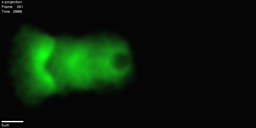
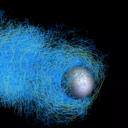
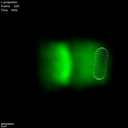
|
This wiki describes how to set up and use the `comet' program. You can read an introduction to the comet project here(to return here, click on 'cometwiki' rather than using the browser back button). |
Essential InformationHow the Program WorksVideo TutorialsInstalling the Program
Running the ProgramThe program is called from the command line. The command line parameters tell the program what to do (calculate a new run, re-process existing data, interactive 3D view etc.). A |
Simulator OutputExample Results
Model RobustnessIn Vitro
In Depth InformationInner workings of the codeMaking Measurements |

